Get the app
One2One · by HollyByte

Private video calls, zero friction.

Send a link to one person and talk face to face. They join from the app or straight from a browser, free on any platform — One2One Pro is for the one who creates the rooms.

1:1 calls by link 7 days free 15 languages

Everything a call for two needs.

No clutter, no ceremony. Just the parts of a video call that actually matter.

⚡

Instant start

Create a room and send the link, or read out the short room ID. They open it in the app or straight in a browser — there's nothing for them to install.

🔒

Only the person you invite

Only whoever gets your link or room ID can join. A room holds exactly two people, there are no public rooms, and the link stops working once you hang up.

🆓

Free to join

Whoever you invite joins for free, on any platform, straight from the link. No paywall for guests and no daily counters.

🎛️

Help with camera and sound

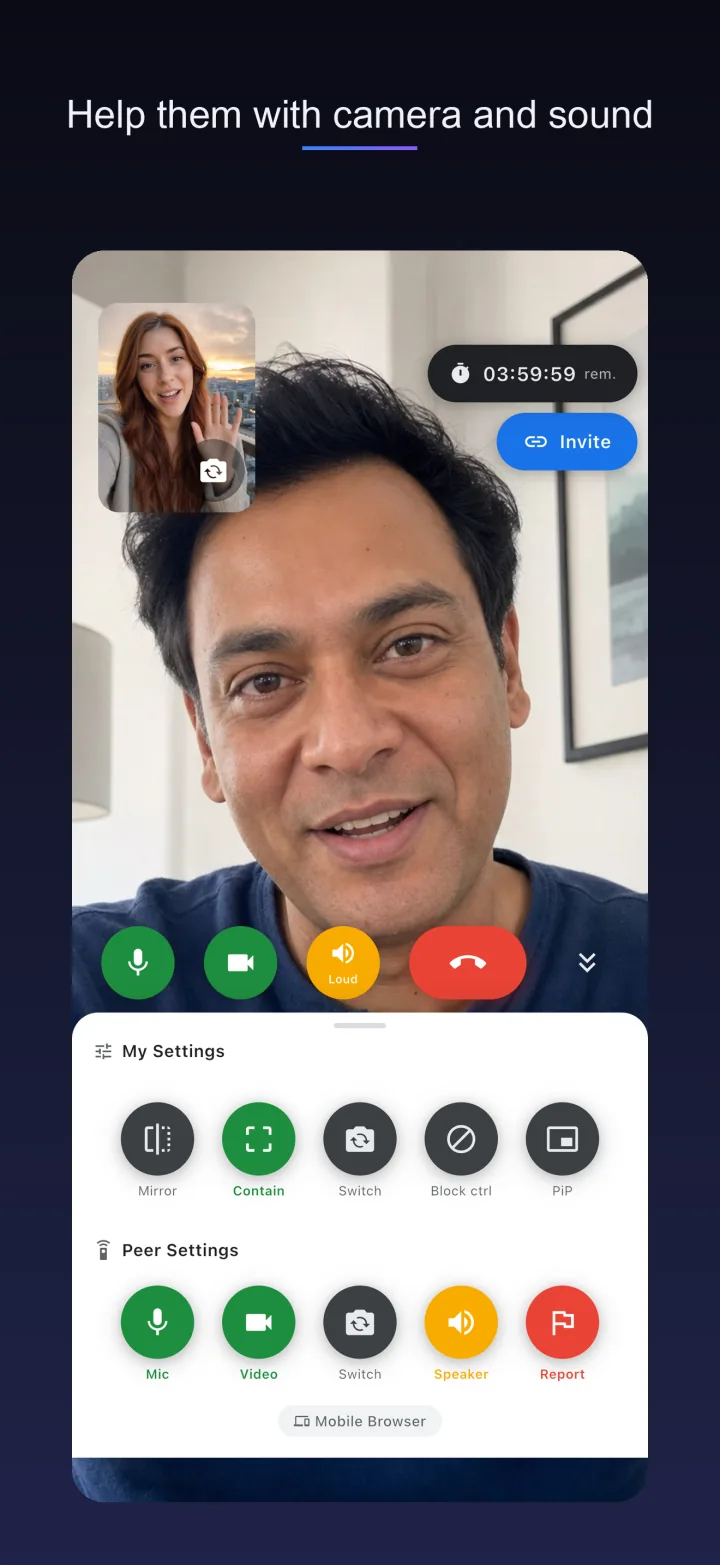
With Pro, turn your partner's camera or mic on and off mid-call — handy when someone can't find the button. Either side can block it with one switch.

🖼️

Picture-in-picture

Leave the app mid-call and the video keeps going in a small window. Switch cameras, mirror your preview, fit or fill the screen.

📅

Schedule a call

Pick a time and drop the invite into your calendar with the link inside. Send it on, and you both know when to open it.

See it before you install.

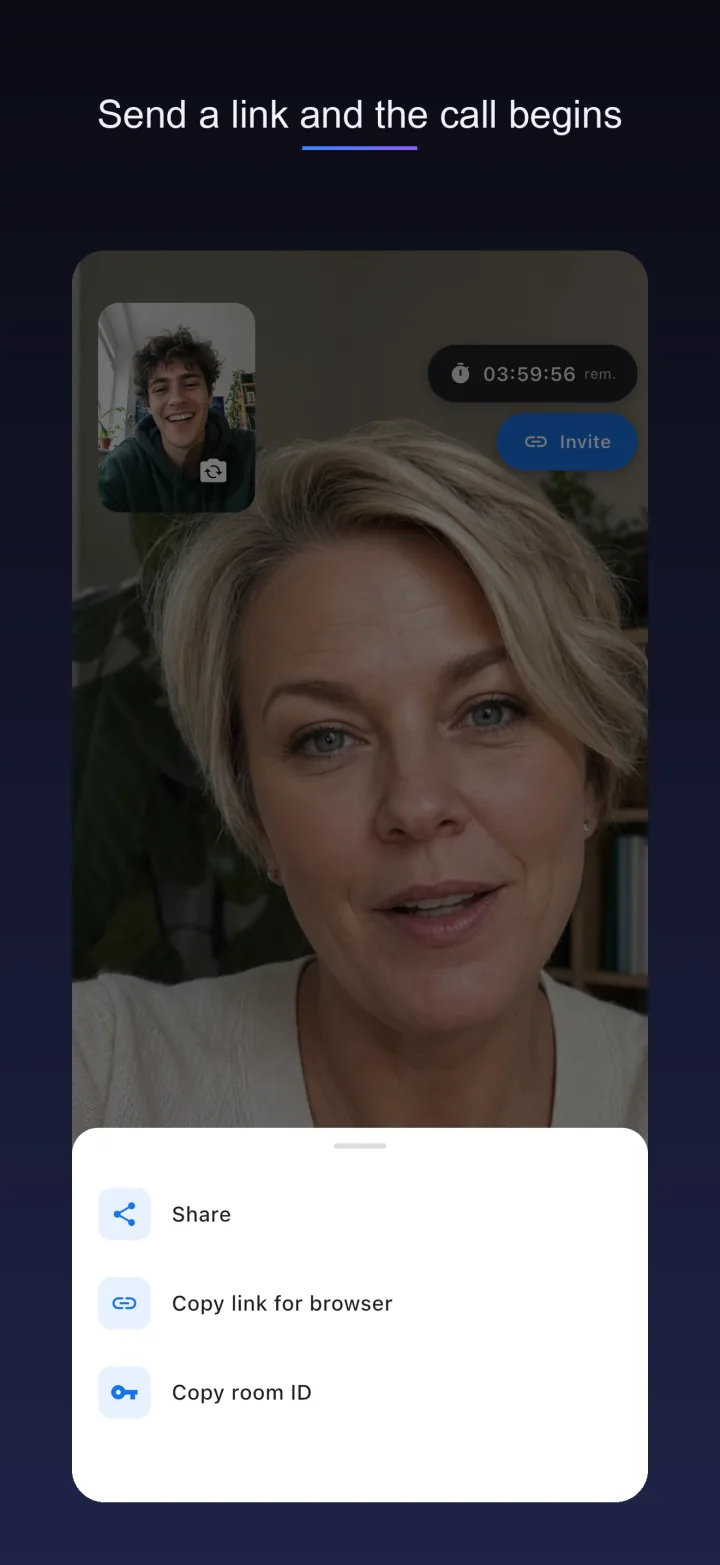
Five screens from the app: a call, the invite sheet, the start screen, the controls for both sides — and the kind of call it's made for.
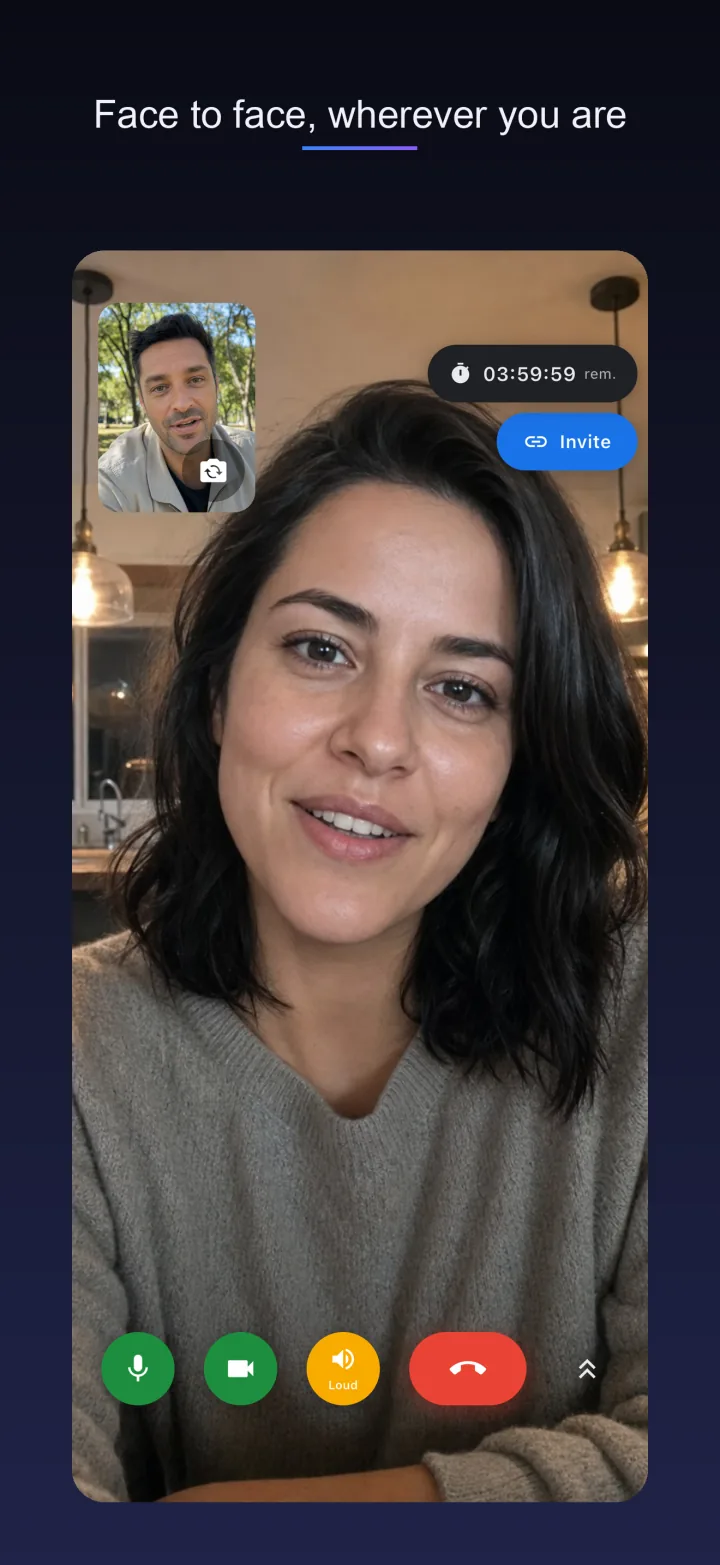
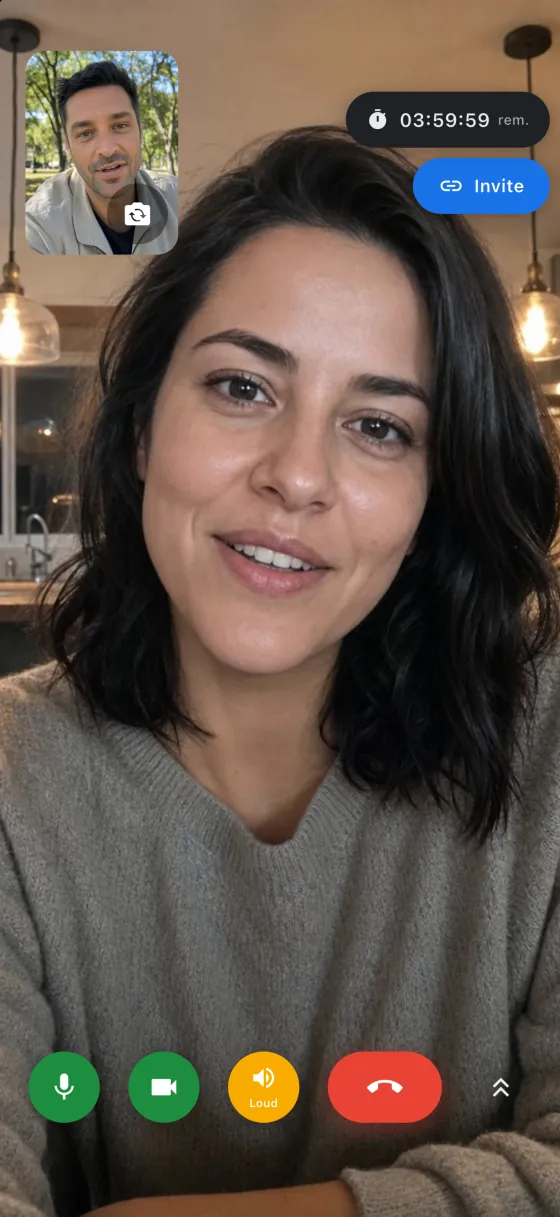
One2One video call: the other person full screen, your own camera in a small window, time remaining, an Invite button and mic, camera, speaker and hang-up buttons
In a call — time left, invite, controls
One2One invite sheet during a call: Share, Copy link for browser, Copy room ID
Invite — the link or the room ID
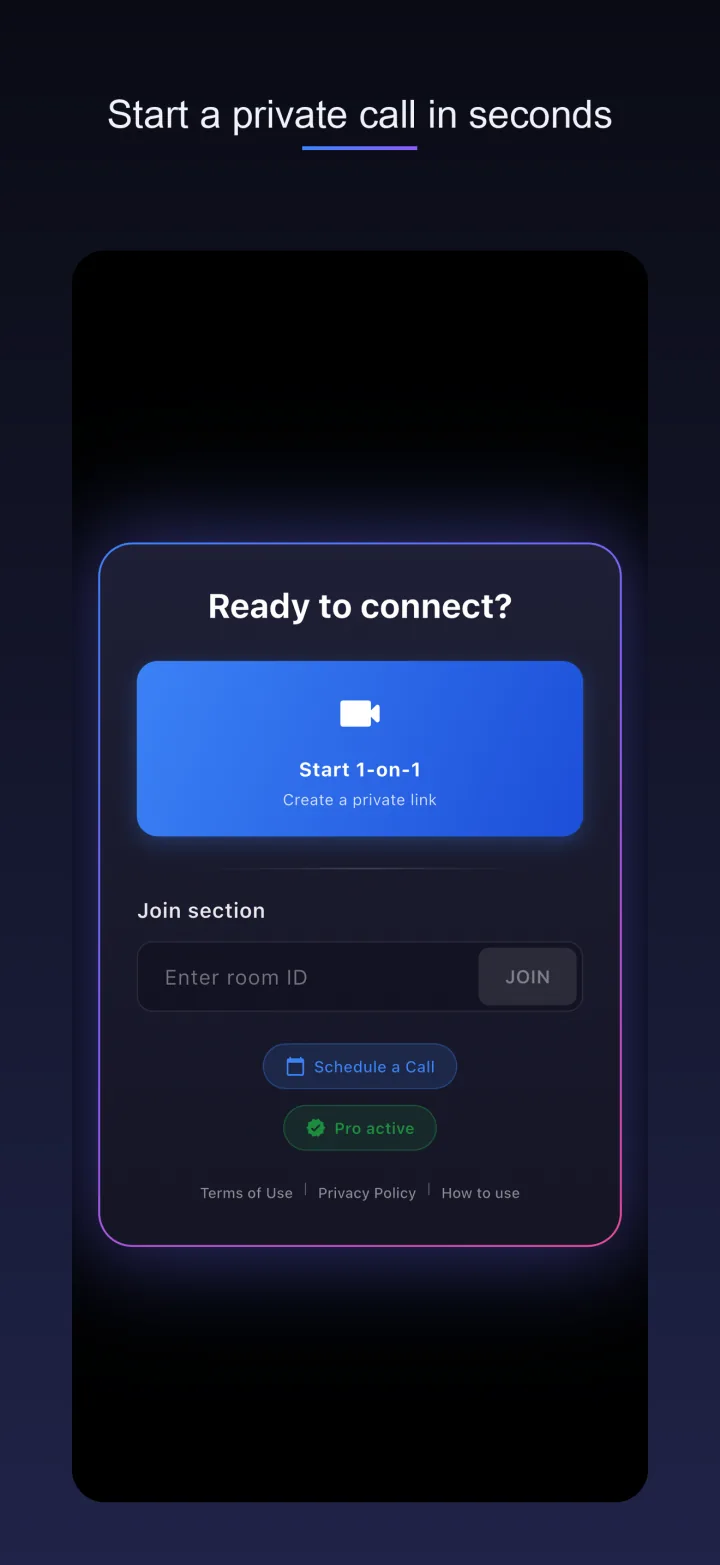
One2One start screen: Start 1-on-1, a field to join by room ID, Schedule a Call and the Pro status
Start, join by ID or schedule
One2One in-call settings: My Settings with mirror, fit, camera switch, block control and picture-in-picture; Peer Settings with the other side's mic, video, camera, speaker and Report
Controls — your side and your partner's
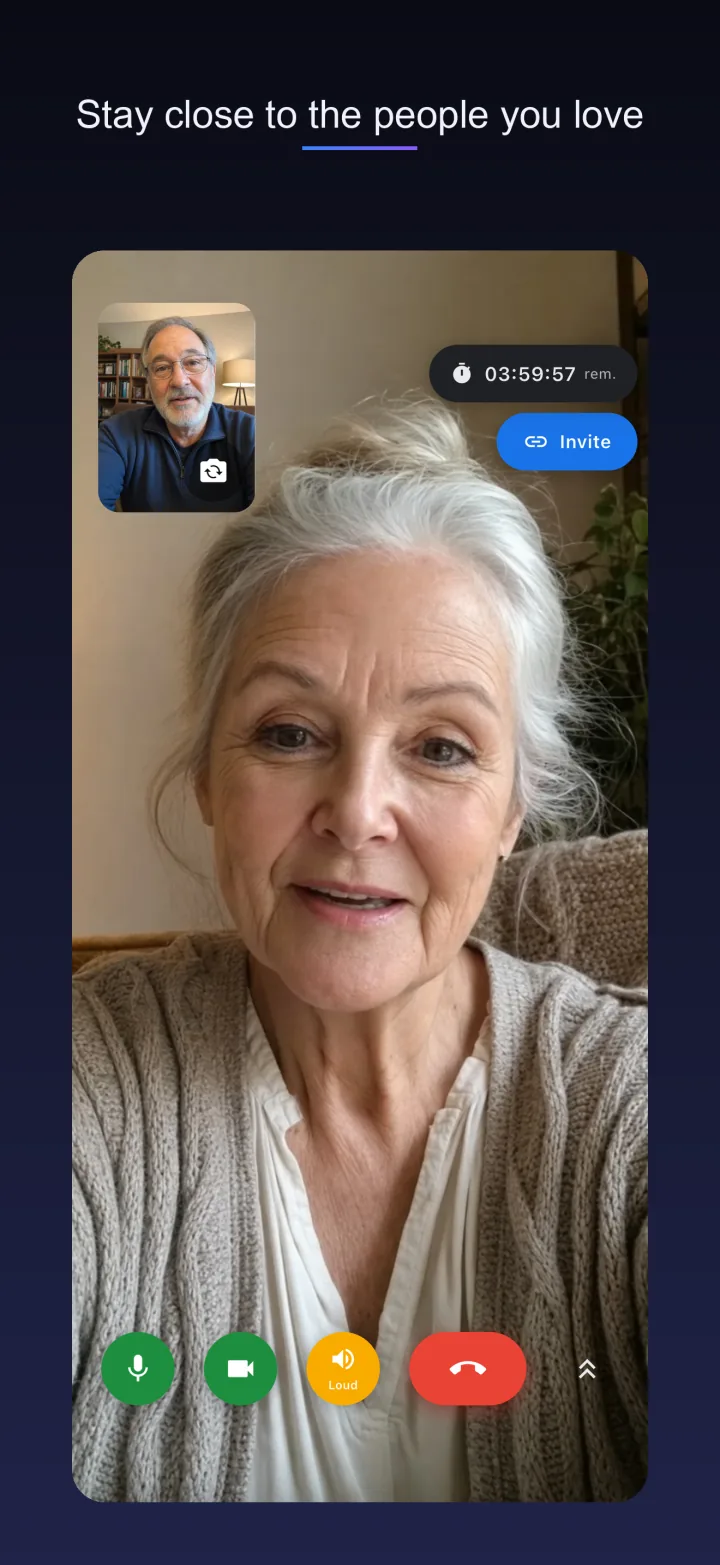
One2One video call with an older woman; the caller's own camera in a small window in the corner
Family calls, face to face

One app. Every screen.

The app on iPhone and Android, or nothing to install at all — the web version runs in the browser. Every version speaks 15 languages.

Free to join. Pro to host.

Whoever you invite gets in for free, on any platform. One2One Pro is for the person who starts the call — it lifts every limit.

Free For guests

Everything you need to answer a call and talk.

  • Join any call by link or ID — always, however often you like
  • Camera, mic, speaker, mirror and picture-in-picture
  • Calls up to 20 minutes
  • Starting your own room and scheduling calls need Pro
One2One Pro 7 days free

For the host: your rooms, your schedule, no clock in the corner.

  • Create rooms and invite links without limits
  • Schedule a call and drop it into a calendar
  • Calls up to 4 hours when you're both in the app
  • Turn your partner's camera or mic on and off mid-call

One2One Pro is an auto-renewing subscription, monthly or yearly. The price appears in the app before you confirm, in your own store currency; the free week comes with the yearly plan for new subscribers. It renews unless you cancel at least 24 hours before the period ends, and you cancel it in your App Store or Google Play account — not here. Full subscription terms

Calling in the browser at one2one.hollybyte.com stays free.

Made for moments that need a real call.

💼

Remote work

Quick check-ins with a client or a teammate. No heavy meeting setup, no calendar drama.

❤️

Family & friends

Stay close to people who matter — with calls that just work, on the phone they already use.

🎧

Support & consulting on the spot

When chat isn’t enough, switch to a call in one tap and solve the issue in minutes — not threads.

Privacy

Your call is your business.

One2One is built around peer-to-peer connections and minimal data collection. The fewer middle layers, the better.

🔗

Peer-to-peer

The call goes device to device wherever the network allows; where it doesn’t, an encrypted relay carries the packets. Either way, no server can read the media.

🗄️

No call history

A room exists only while the call lasts. No call history, no recording, no copy of your conversation on our side.

🚪

Nothing to fill in

No profile, no phone number, no contact list to upload — open the link and talk.

Quick answers.

Is One2One free?
Joining is. Anyone you invite joins by link or room ID for free, on every platform. Creating rooms, scheduling calls and long calls are One2One Pro — and every new install starts with a free week of it.
Who can join my call?
Only the person you send the link or room ID to. A room holds exactly two people: once you're both in, nobody else can join, and the link stops working when you hang up.
Do I need a subscription?
Only to host. Without Pro you still join any call by link and talk for up to 20 minutes at a time. Calling in the browser stays free.
How do I cancel One2One Pro?
In your store account — App Store subscription settings on iOS, Google Play subscriptions on Android. Cancel any time; Pro stays active until the end of the period you already paid for.
Can I use it on multiple devices?
Yes — web browsers plus native iOS and Android apps. A Pro subscription follows the store account it was bought with, and "Restore purchases" brings it back on another device.
Which languages does One2One speak?
Fifteen: English, Ukrainian, German, Russian, Italian, French, Spanish, Polish, Dutch, Portuguese, Swedish, Norwegian, Danish, Czech and Finnish — in the app and in the browser.
How is privacy protected?
The call goes device to device wherever the network allows; where it doesn't, an encrypted relay carries it. Either way the media is encrypted between the two devices, and a room exists only while the call lasts — no call history, no recordings.

Press call. Be there.

Pick your platform, open One2One, and start a private call in under a minute.