
App caches
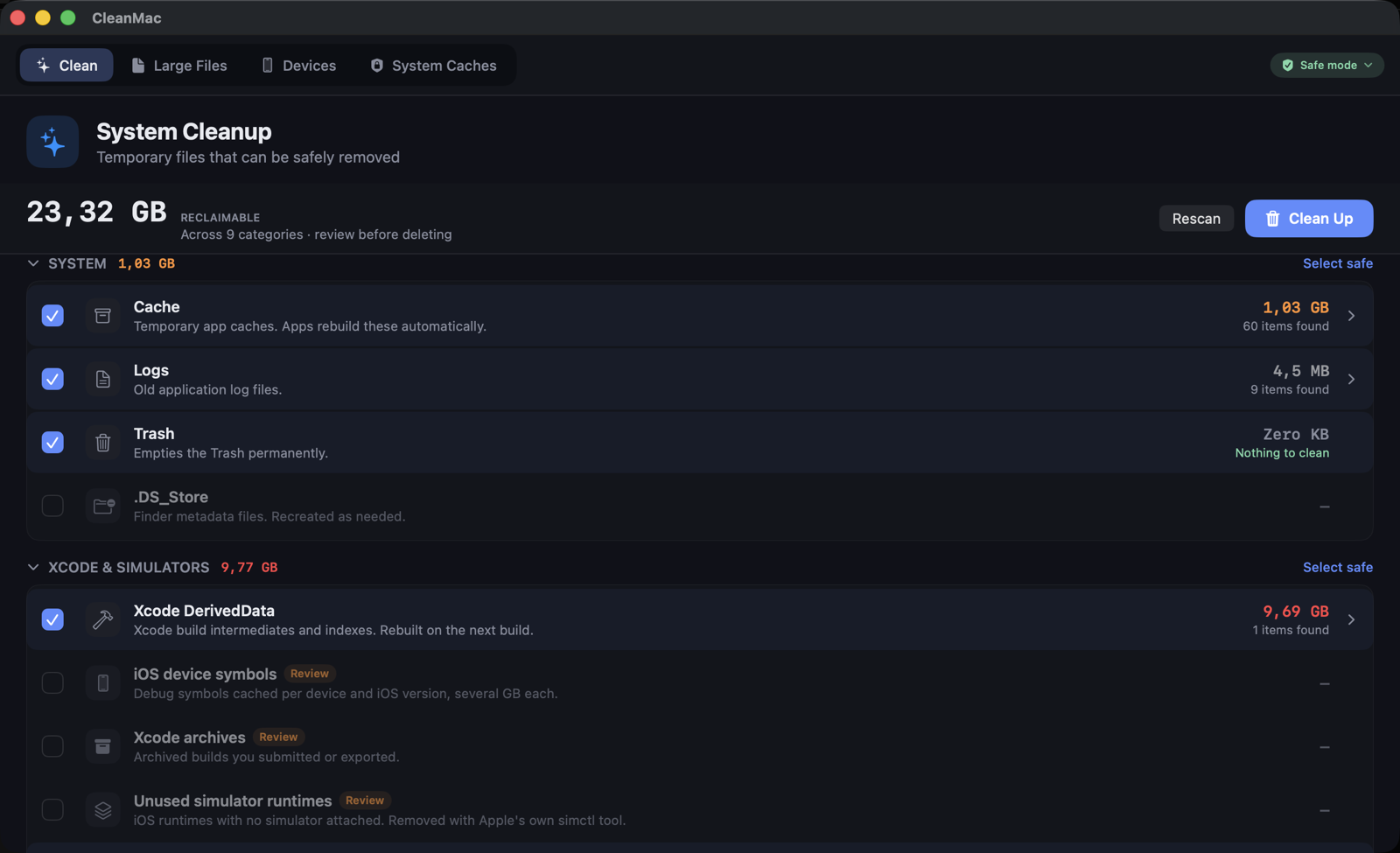
Temporary cache files in ~/Library/Caches that apps rebuild automatically.
Scan caches, logs, Trash, and large files. Preview sizes before you delete. Everything runs locally — no account, no cloud upload, no surprises.
Select categories, scan first, then delete. You stay in control at every step.
Temporary cache files in ~/Library/Caches that apps rebuild automatically.
Log files accumulated in ~/Library/Logs that are safe to remove.
Empty the Trash and permanently reclaim disk space from deleted items.
Hidden macOS folder metadata scattered across directories — safe to clear.
Find files above a size threshold, review them in Finder, then decide what to delete.
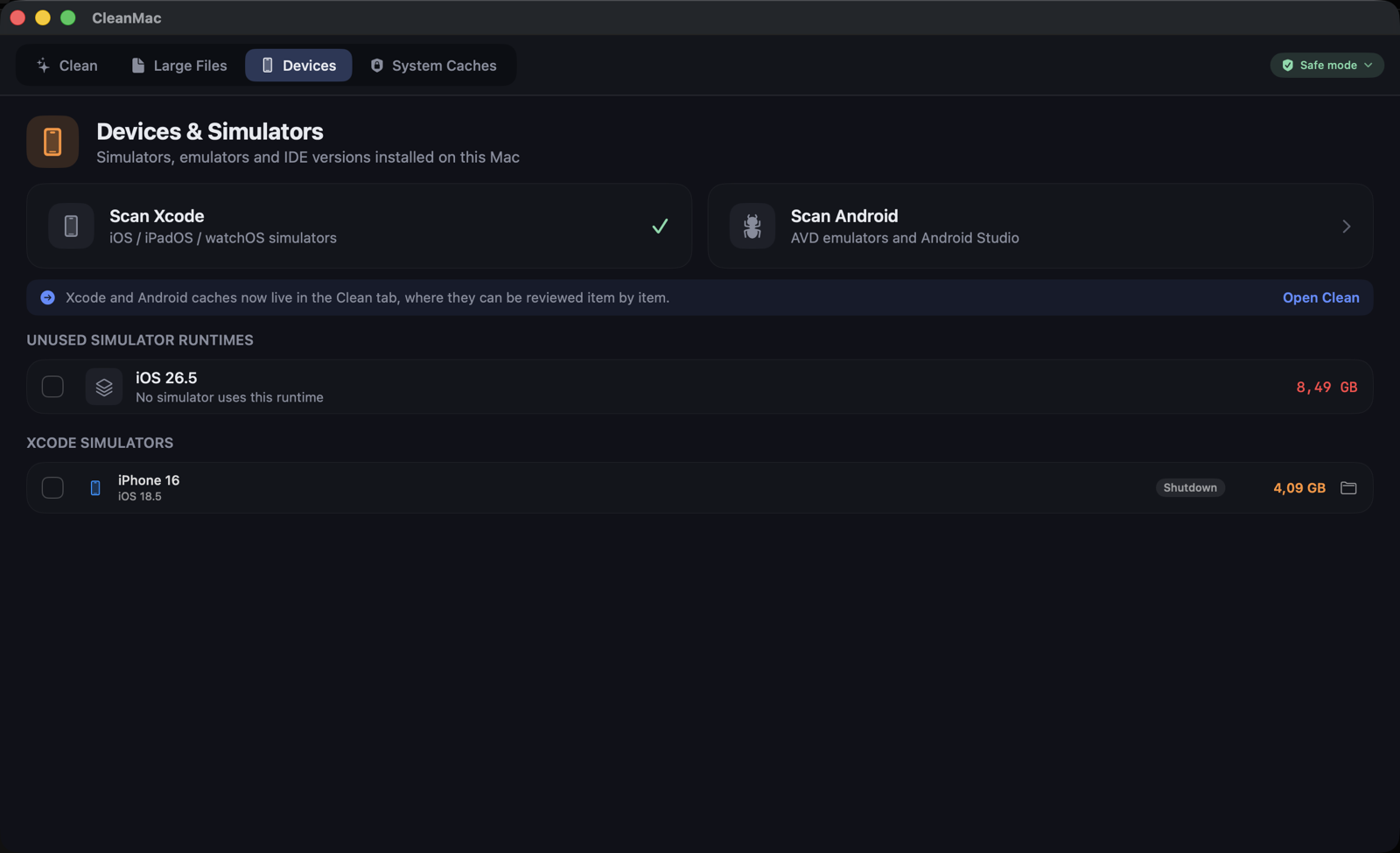
Review Xcode simulators, Android AVDs, and Android Studio data taking up space.
Four steps to a cleaner Mac. Nothing is deleted without your confirmation.
Choose categories (Cache, Logs, Trash, .DS_Store) and tap Scan.
The App Store build asks you to pick your home folder once. The direct build does not need to ask.
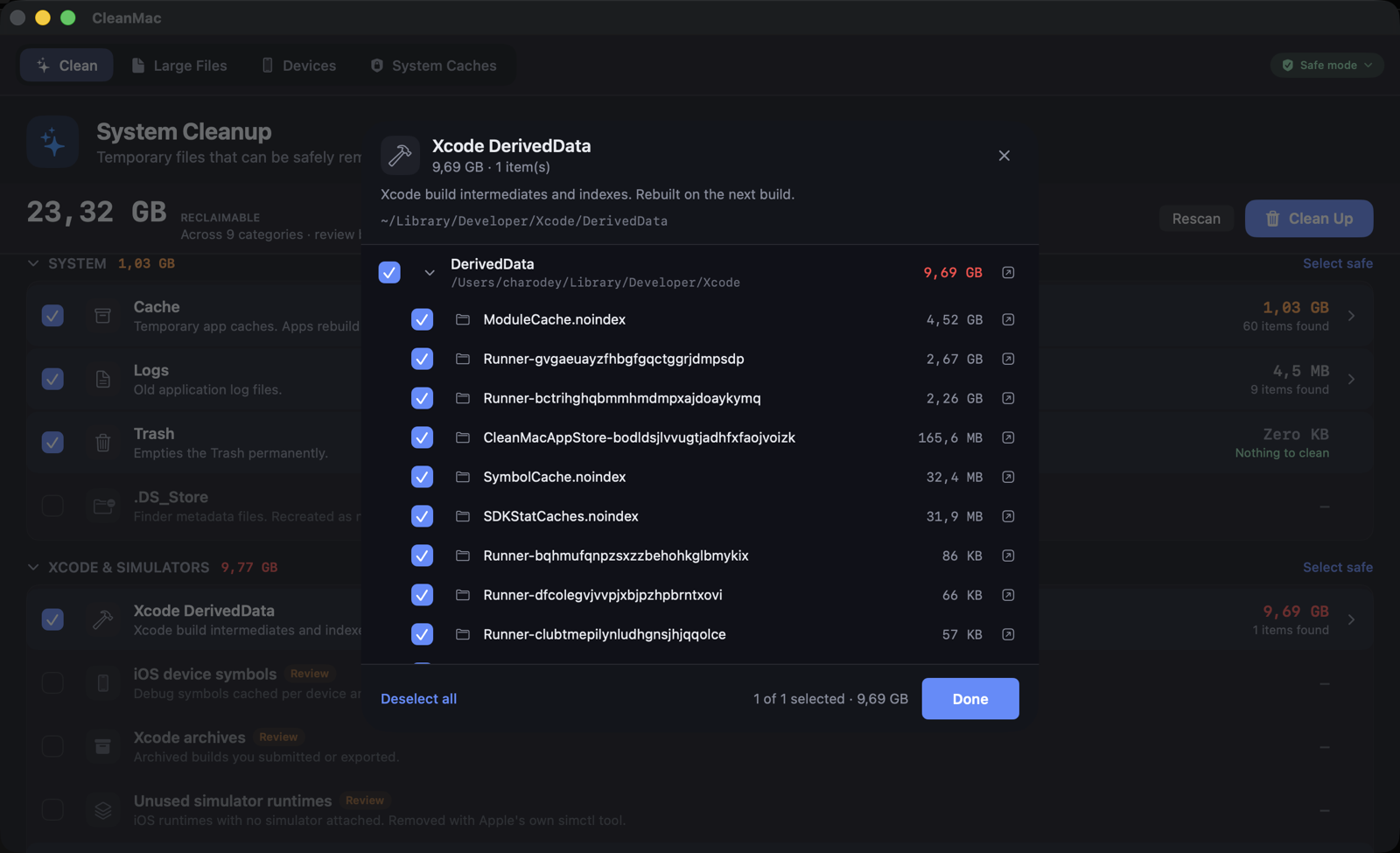
Open any category and untick what you want to keep. Nothing is touched until you confirm.
Tap Delete and confirm. Only then are files removed — permanently and locally.
Nothing is deleted without your confirmation, and you can open any category to see exactly what is inside it.
Photos, Mail, Messages, iCloud Drive, Keychains, SSH keys and .git folders are refused by every scan. No setting overrides it.
No analytics, no ads, no network requests. All scanning and deletion happens only on your Mac.
If macOS blocks access to a folder, the app shows a warning and continues — no crashes, no data loss.
Clean, Large Files, Devices and System — everything you need in one compact app.
Same app, two builds. The App Store version runs in Apple's sandbox, which rules out a few things it simply cannot be allowed to touch.
Signed and notarized by Apple. Opens without any Gatekeeper warnings.
/Library, scanned before anything is deletedAutomatic updates and Apple's own install flow. Pick this if you would rather not manage updates yourself.
/Library — the sandbox forbids itsimctlVerify a download before you open it — run
shasum -a 256 <file> and compare:
04b3b14f8da807fbec6f3b8edf702cb4cfaa6f1b23367d73dc7595e3da803de1 CleanMac-1.2.0-macOS-arm64.dmg
334a0a5b2258ca56f43dca03ab3fe41c282feb094a3e9c96ec7db1fa918f10ad CleanMac-1.2.0-macOS-arm64.pkg
Download it directly, or get it from the Mac App Store. macOS Ventura (13) or later. No account needed.